kickvaPowering up your workspace
HomeGuide
Getting Started with Kickva
Kickva by Codicore Private Limited is a single, ultra-fast portal that packs 13 pro-grade AI & utility tools into one place — humanize AI text, erase backgrounds & watermarks, transcribe media, convert files, and more. The suite combines a secure account workspace with private in-browser processing where supported.
Quick Start
Create your workspace and get a result in three steps:
- 1
Pick a tool from the sidebar (or the homepage grid).
- 2
Drop in your text, image, audio or file — it's processed instantly on your device.
- 3
Copy or download your result, then keep related projects organized in your workspace.
Tip: Bookmark kickva.com — every tool lives under one roof, so you never need another site.
Why Kickva?
- Privacy-first: heavy AI tools never upload your data.
- Account-based workspace for projects, assets, and exports.
- Fast everywhere: optimized for Core Web Vitals and mobile.
- One consistent, premium experience across every tool.
Core Features
On-device processing
Most tools run 100% in your browser — files, photos and text never touch a server.
Instant & lightweight
Smart, lightweight loading keeps every tool fast on any device.
Secure workspace access
Create an account to manage projects, assets, and account-based usage in one place.
One unified suite
All 13 tools share one clean, consistent, premium interface.
Tool Guides
Step-by-step instructions for all 13 tools.
AI Text Humanizer

Make AI writing sound human
Paste text from ChatGPT, Gemini or Claude and get back writing with the varied rhythm and word choice of a real person. Pick a mode (Humanize, Expand, Shorten, Simplify, Fix grammar), a writing style (Academic, SEO, Professional, Creative, Research and more), tone, reading level and creativity. See live readability, human and clarity scores, compare changes side by side, export to common formats, and organize work in your account.
How to use
- 1
Paste your AI-generated text into the input box (from ChatGPT, Gemini, Claude, etc.).
- 2
Click “Humanize Text” — Kickva rewrites it with natural sentence rhythm and word variety so it reads like a person wrote it.
- 3
Review the human-like output and copy it with one click.
Tip: For the most natural result, humanize one paragraph at a time and lightly edit the output in your own voice.
Will it help my writing read more naturally?
Yes. It rewrites text with varied rhythm and word choice so it reads like a real person wrote it, and gives you live readability, human and clarity scores so you can check the result. No tool can promise a specific third-party score, so we focus on genuinely better, clearer writing.
How much text can I process?
Each run supports up to 15,000 characters. Available usage follows your workspace plan.
Will it change my meaning?
No. It preserves your message and tone — it only varies rhythm and vocabulary so it sounds human.
AI Background Remover

Erase backgrounds in one click
A studio-grade background remover that runs entirely in your browser using a private AI model. Get crisp full-HD cut-outs without an added Kickva watermark, refine edges with an Erase/Restore brush, add a background and adjustments, then export a transparent PNG, WebP or JPG in common aspect ratios.
How to use
- 1
Drop, click or paste (Ctrl+V) any image — PNG, JPG or WebP.
- 2
Kickva’s on-device AI removes the background automatically and rebuilds it at full HD resolution.
- 3
Refine the edges with the Erase/Restore brush, then pick a background — transparent, colour, gradient, blur or your own image.
- 4
Fine-tune brightness, contrast and saturation, add a drop shadow and feathered edges, choose an output size (Original, Square, Story, Wide…), then download a full-resolution PNG, WebP or JPG.
Tip: Use a well-lit photo with clear separation between subject and background, feather the edges by 1–2, and export as WebP for the best quality-to-size ratio.
Are my photos uploaded?
Never. The AI model runs entirely in your browser — your images stay on your device.
Is the download full HD resolution?
Yes. The AI runs on a fast preview internally, then re-projects the cut-out onto your original full-resolution photo — so you get crisp HD output for free, no credits like other tools charge.
Can I fix mistakes in the cut-out?
Yes. Use the Restore brush to paint back anything the AI removed, or the Erase brush to wipe leftover background. Undo and Reset are one click away.
What backgrounds and effects can I add?
Keep it transparent, or add a solid colour, gradient, blurred original or any uploaded image. You can also add a drop shadow, feather the edges and adjust brightness, contrast and saturation.
Can I export for Instagram, stories or marketplaces?
Yes. Pick an output size — Original, Square (1:1), Portrait (4:5, 3:4), Wide (16:9) or Story (9:16) — and export as PNG, WebP or JPG with an adjustable quality slider.
Does Kickva add a watermark?
No Kickva watermark is added to the HD export. Sign in to use the workspace; available usage follows your plan.
AI YouTube Thumbnail Maker
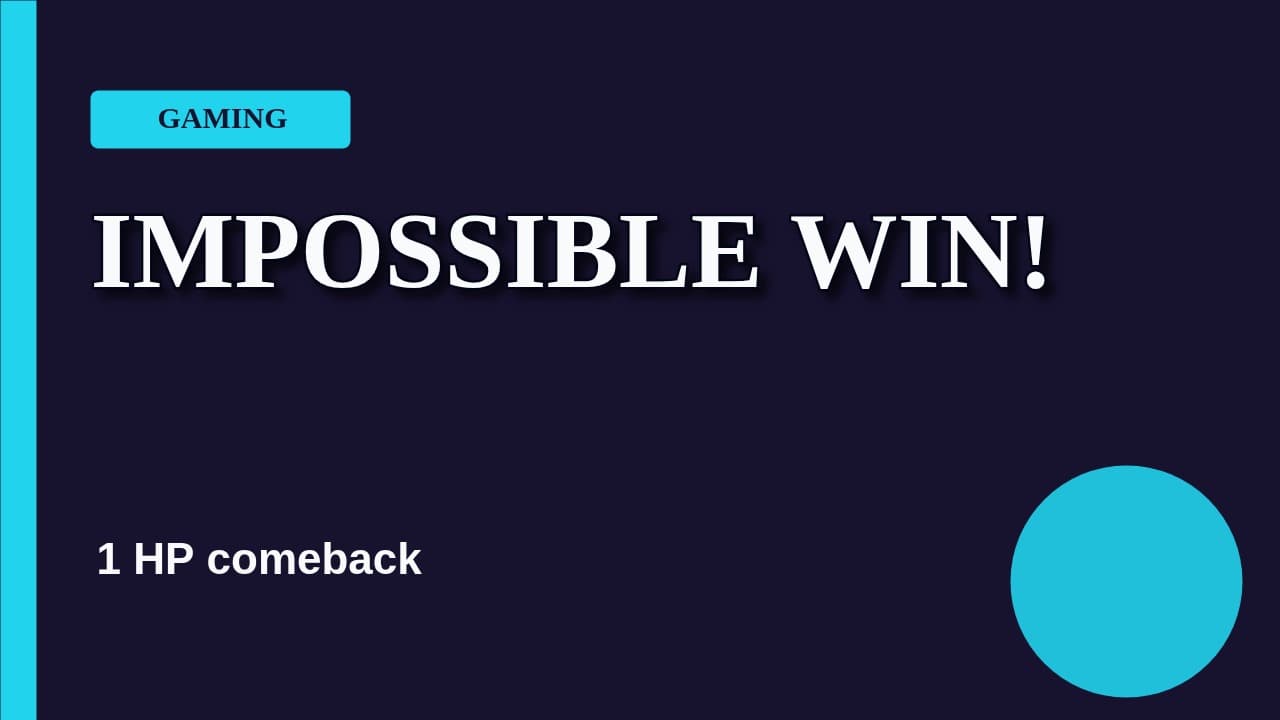
Generate, design and export
Turn any video topic into a high-impact YouTube thumbnail. Generate an AI visual from a prompt, apply editable templates, upload photos, remove image backgrounds on-device, add outlined text and shadows, arrange layers, preview YouTube safe zones, and export crisp PNG, JPG or WebP files up to 4K without a watermark.
Open AI YouTube Thumbnail MakerAI Product Photography
Studio product shots for your workspace
Turn a raw product photo into a professional, conversion-ready shot. Kickva removes the background in your browser, then places the product on studio, gradient and lifestyle backdrops with realistic shadows, reflections and marketplace sizes.
How to use
- 1
Upload a raw product photo.
- 2
Kickva removes the background on-device, then places the product on an AI studio scene.
- 3
Pick a backdrop (podium, silk, neon, nature) and download the HD shot.
Tip: Shoot on a plain surface with soft light for the cleanest AI background swap.
Can it replace a basic product-photo editor?
Yes — create studio-style product shots and export them without an added Kickva watermark. Usage follows your workspace plan.
Good for Shopify/Amazon?
Absolutely — outputs are conversion-ready and correctly sized for e-commerce.
Are uploads private?
Background removal runs in your browser; your product photos stay on your device.
AI Watermark Remover
Brush away objects & watermarks
A magic-eraser powered by in-browser inpainting. Brush over what you want gone and the AI reconstructs the background — fully private, no uploads, no watermark on the result.
How to use
- 1
Upload the image that has a watermark, logo or unwanted object.
- 2
Brush over exactly what you want removed (adjust brush size as needed).
- 3
Click “Remove” — the AI fills the area — then download the clean HD result.
Tip: Only brush the object you want gone. Smaller, precise selections give more realistic fills.
Does it leave its own watermark?
No. Output is clean HD with no Kickva watermark.
Is it private?
Yes — all processing happens locally in your browser; nothing is uploaded.
Only remove people?
It works on watermarks, logos, text, and unwanted objects too.
Audio & Video Transcriber
Speech to text & subtitles
Drop in any audio or video file and get a timestamped transcript plus burned-in captions — powered by OpenAI Whisper running locally in your browser. Nothing is uploaded.
How to use
- 1
Choose an AI model (Tiny for speed, Small for accuracy) and drop your audio/video file.
- 2
Kickva transcribes it on your device using OpenAI Whisper.
- 3
Read the timestamped transcript and download SRT, VTT or TXT.
Tip: For long files, start with the Tiny model to preview accuracy, then re-run with Small if you need more precision.
Which languages are supported?
Whisper supports 90+ languages for both transcription and translation.
Is my media uploaded?
No — the model runs locally in your browser. Your files never leave your device.
What formats can I export?
SRT and VTT subtitles, or plain-text (TXT) transcripts.
Universal File Converter
Convert anything, privately
One workspace for HEIC, WebP, PNG, JPG, AVIF, MP4, WebM, MOV, MP3, WAV, FLAC, OPUS, PDF, DOCX plus developer & data formats — CSV, JSON, XML, YAML, Excel and Markdown. Batch queues, smart best-format suggestions, quality/resize controls, PDF↔image, image→PDF, merge-to-PDF, scan auto-straighten & clean, folder upload and clipboard paste. Everything runs right in your browser, so your files stay 100% private and never leave your device.
How to use
- 1
Drop, paste (Ctrl+V) or upload a whole folder — images, video, audio, PDFs or data files.
- 2
Each file gets a smart best-format pick; change it per file or open Options for quality, resize, scan clean-up & more.
- 3
Click Convert — a single file downloads directly; a batch can be grabbed as one ZIP. All local, no uploads.
Tip: Developer tip: drop a CSV to get instant JSON or Excel, or a JSON to get YAML/XML — perfect for quick data wrangling without any online tool.
What can I convert?
Images (HEIC/WebP/PNG/JPG/AVIF), media (MP4/WebM/MOV/MP3/WAV/FLAC/OPUS), documents (PDF/TXT/Markdown) and data/developer files (CSV, JSON, XML, YAML, Excel) — including PDF↔image, image→PDF, merge-to-PDF, CSV↔Excel, JSON↔YAML, XML↔JSON and Markdown→HTML.
Does it suggest the best output?
Yes — each file is analysed and the best-balanced target is pre-selected and marked “Best”, so you can just hit Convert.
Can I convert many files or a whole folder at once?
Yes — drop a batch, paste from the clipboard, or upload an entire folder, then convert them in parallel and download individually or as one ZIP.
My scanned photo is crooked or upside-down — can it fix that?
Yes. Turn on Auto-straighten & Auto-enhance (and rotate any image in 90° taps). Upside-down phone photos are auto-corrected from their orientation — content is never cropped.
Is it private and watermark-free?
100% — everything runs in your browser, nothing is uploaded, and there are no watermarks, sign-ups or size limits.
AI Faceless Shorts Generator
Turn one topic into a complete vertical video
Give Kickva a topic and direct the creative style, voice, captions, language and background music. The production pipeline writes a social-first script, generates narration, matches vertical visuals and renders a polished 9:16 video ready for Shorts, Reels and TikTok.
How to use
- 1
Enter a clear topic or choose one of the suggested ideas, then select a 15, 30 or 60-second runtime.
- 2
Open Advanced settings to choose the voice, visual direction, caption treatment, script language and music level.
- 3
Click “Generate Magic Video” and follow the live script, voice, media and rendering stages.
- 4
Preview the finished 9:16 video, download it, or send it to AI Video Studio for further editing.
Tip: A specific topic with a clear promise usually creates a stronger hook than a broad subject. Try “Three Roman inventions we still use” instead of only “Ancient Rome.”
Which platforms is the output designed for?
Every result uses a 9:16 vertical canvas designed for YouTube Shorts, Instagram Reels and TikTok.
How long can a generated video be?
You can create a focused 15, 30 or 60-second short and choose the runtime before generation.
Can I control the voice and visual style?
Yes. Choose from multiple voice personalities, realistic stock, 3D or cinematic visual directions, three caption treatments and English, Hindi or Hinglish scripts.
Can I edit the result?
Yes. Use Edit in Studio to continue in Kickva's AI Video Studio, where scene-level editing and export controls are available.
Folder to AI Prompt
AI Context Builder for your codebase
A free AI Context Builder: drop a folder or ZIP and Kickva analyses your project (tech stack, languages, dependencies, entry files, database), counts tokens, estimates AI cost, compresses to a token budget, cleans code, redacts secrets and packs everything into a single model-ready prompt. Pick a prompt template (debug, review, security audit, docs…) and export to TXT, Markdown or JSON — or auto-generate a README. 100% client-side; your code never leaves the browser.
How to use
- 1
Select your project folder or upload a .zip (everything is read locally).
- 2
Kickva analyses the project (tech stack, languages, deps, entry files) and counts tokens + estimated AI cost.
- 3
Pick a target model and prompt template, optionally compress to a token budget or strip comments.
- 4
Copy the context or export it as TXT, Markdown or JSON — or auto-generate a README.
Tip: Set a token budget and a prompt template to hand an AI perfectly-scoped, task-ready context in one paste.
Is my code uploaded?
No — files are read entirely in your browser; nothing is sent to a server.
Which AI models does it support?
It formats context for ChatGPT, Claude, Gemini, Cursor and Copilot, with token counts and cost estimates for each.
Does it protect secrets?
Yes — it scans for API keys/tokens and auto-redacts likely secrets before export.
What if my repo is huge?
Use the context budget (20k–500k tokens) — Kickva keeps the highest-priority files and trims the rest to fit.
Does it skip junk?
Yes — node_modules, .git, build output, lockfiles and binaries are ignored automatically.
PDF Editor & eSign
The all-in-one private PDF studio
A complete, professional PDF editor that runs fully client-side with pdf-lib and pdf.js. Add text, draw or type an eSignature, insert images, annotate, organize pages, export pages as images, and optimize documents while confidential files stay on your device.
How to use
- 1
Upload your PDF.
- 2
Edit, sign, merge or reorder pages right in your browser.
- 3
Download the finished, watermark-free PDF.
Tip: Merge multiple PDFs into one before sending to keep attachments tidy.
Are my documents uploaded?
No — confidential files are processed 100% client-side and never leave your device.
Can I e-sign PDFs?
Yes — add signatures and merge documents for free, a DocuSign-style flow without the cost.
Does Kickva add a watermark?
No Kickva watermark is added to your export. Available features and usage follow your workspace plan.
AI Photo & Video Enhancer
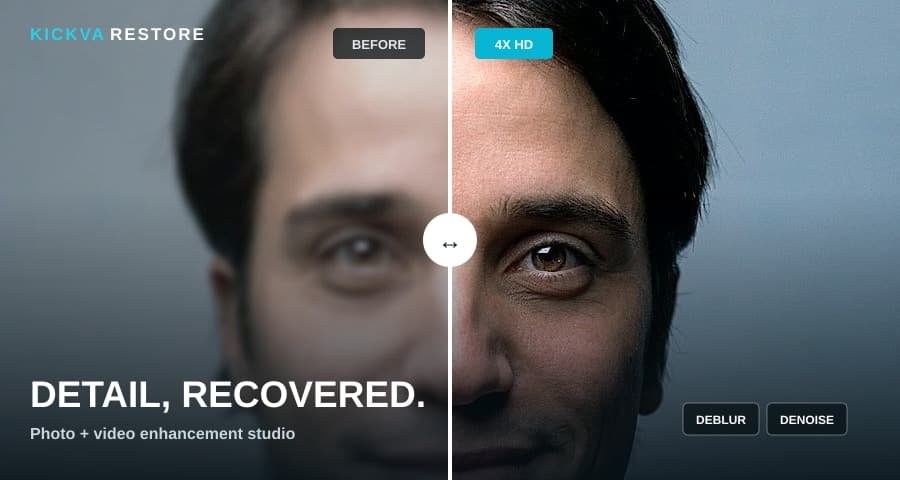
Turn soft media into crisp HD
Rescue blurry, noisy and low-resolution photos or videos with a professional restoration pipeline. Scan image quality, protect faces, recover edges and color, compare before and after, then export photos up to 4× or videos up to 4K. Video jobs support clips up to 3 minutes and preserve audio. Local HD mode stays on your device; optional AI Detail Recovery can handle especially difficult photos.
Open AI Photo & Video EnhancerAI Voice Generator
Realistic text to speech in your workspace
A private AI Voice Generator & Text-to-Speech studio. Convert scripts into natural-sounding speech for YouTube, Shorts, podcasts and audiobooks using browser and on-device voice engines, then organize work in your Kickva account.
How to use
- 1
Type or paste your script.
- 2
Choose Ultra-Realistic AI for human-like voices, or System Voices for 80+ languages.
- 3
Generate, play it back, and download the audio.
Tip: For the most human sound, use the Ultra-Realistic AI engine (voices like Heart or Bella). The model downloads once (~90 MB) then runs instantly.
Do the voices sound human?
Yes — the Ultra-Realistic AI engine runs a real neural model (Kokoro) in your browser for natural, human-like speech, not robotic system voices.
Which languages are supported?
The System Voices engine covers 80+ languages using your device's voices; the AI engine offers premium American & British English voices.
Can I download the audio?
Yes — the Ultra-Realistic AI engine exports a real WAV file generated entirely on your device.
How is voice usage managed?
Sign in to use the voice workspace. Available usage depends on the selected engine and workspace plan.
Is it private?
Everything runs in your browser — your text never leaves your device.
AI Video Studio
AI 2D animated promo videos
Describe your product and Kickva's AI writes a scene-by-scene storyboard, then renders a polished 2D motion-graphics video with animated titles, stats, product images and an on-device voice-over. Pick a theme and aspect ratio, edit scenes, and export an MP4-ready WebM.
How to use
- 1
Describe your product or topic, add a few key points, then pick a tone, theme and aspect ratio (16:9, 9:16 or 1:1).
- 2
Click “Generate video” — the AI writes a scene-by-scene storyboard with on-screen text and voice-over narration.
- 3
Edit any scene, upload your product images and bind them to scenes, then generate the on-device AI voice-over.
- 4
Preview it live, then click “Render & download” to export a shareable video without an added Kickva watermark.
Tip: Add your real product images and bind them to the “image-focus” or “split” scenes, then generate the voice-over before rendering so each scene’s timing matches the narration.
Do I need to buy any external video API?
No. The animation is drawn and recorded in your browser, and the voice-over uses an on-device neural model — there are no paid video or voice APIs to buy. An AI key is only used, if configured, to write the script.
How long can the video be?
As long as you like — 2D motion-graphics videos have no hard length limit. Longer videos simply take proportionally longer to render in real time.
Is it realistic 3D/live-action video?
No — this creates professional 2D animated / motion-graphics explainer videos (animated text, shapes, stats and your images), the style used in most SaaS promos. It is not live-action or 3D character animation.
Are my images and text uploaded?
Your images stay in your browser and are never uploaded. Only the short text brief is sent to the AI script service when an AI provider is configured.
What format is the export?
A high-quality WebM video (VP9/VP8 + Opus audio) that plays everywhere and can be uploaded to YouTube, Reels, Shorts or converted to MP4 if needed.
FAQ & Troubleshooting
How does Kickva access work?
Create a Kickva account to access your workspace. Available tools and usage allowances depend on the current plan.
Do you upload my files?
For most tools (background remover, watermark remover, transcriber, file converter, folder-to-prompt) everything runs on your device — nothing is uploaded.
Do I need to create an account?
No account is required to use any tool. Accounts are only planned for the future API/Pro plans.
Which browsers work best?
Latest Chrome, Edge, Firefox or Safari. For the heaviest AI tools, a modern browser like Chrome or Edge gives the best speed.